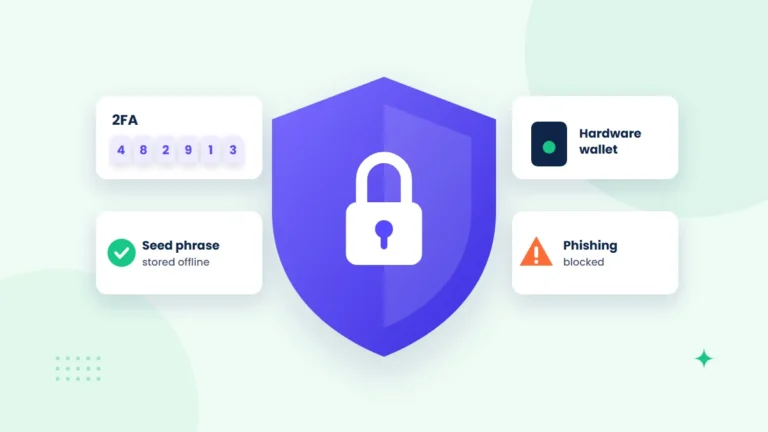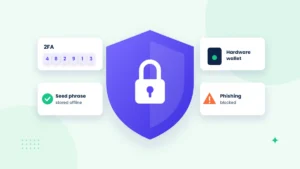
Your exchange account is only as secure as the habits you build around it. Strong passwords and two-factor authentication (2FA) are the starting line, not the finish. This guide walks through the security essentials every trader should have in place, from choosing the right 2FA method to spotting phishing and locking down withdrawals.
Why Exchange Security Matters More Than You Think
Crypto transactions are generally irreversible. If an attacker gains access to your account and withdraws funds to their own wallet, there is usually no bank to call and no chargeback to file.
That makes the account itself a high-value target. Attackers rarely “hack the blockchain.” Instead, they go after the weakest link, which is often the user. Common attack routes include:
- Credential stuffing: reusing passwords leaked from other websites to log in to your exchange account.
- Phishing: fake login pages, emails or messages that trick you into entering your credentials or 2FA codes.
- SIM swapping: convincing your mobile carrier to move your phone number to a new SIM so the attacker receives your SMS codes.
- Malware: keyloggers, clipboard hijackers and malicious browser extensions on your own device.
The good news is that each of these threats has a practical defense. Layering those defenses is what separates a hard target from an easy one. For the bigger picture, see our complete crypto security guide.
Start With a Strong, Unique Password
Before you think about 2FA, make sure your password is doing its job. A strong exchange password should be long, random and used nowhere else.
- Aim for at least 14–16 characters, or a passphrase of several unrelated words.
- Never reuse your exchange password on any other site, especially your email.
- Use a reputable password manager to generate and store credentials so you never have to remember them.
- Change your password immediately if you suspect a service you use has been breached.
Your email account deserves the same treatment. Since password resets usually go to your inbox, a compromised email can unlock everything else.
Two-Factor Authentication: Choosing the Right Method
2FA adds a second proof of identity beyond your password. Even if someone steals your password, they still need that second factor to get in. NIST’s guidance on multi-factor authentication explains why this extra layer matters. Not all 2FA methods offer equal protection, though.
| 2FA Method | Security Level | Main Weakness |
|---|---|---|
| SMS codes | Basic | Vulnerable to SIM swapping and interception |
| Email codes | Basic | Only as secure as your email account |
| Authenticator app (TOTP) | Strong | Codes can still be phished in real time |
| Hardware security key (FIDO2/U2F) | Strongest | Must be kept safe; a backup key is recommended |
Authenticator Apps
Time-based one-time password (TOTP) apps generate a fresh six-digit code every 30 seconds on your device. Because the code never travels over the phone network, SIM swapping does not affect it. For most traders, this is the minimum standard to aim for.
Hardware Security Keys
A hardware key is a small physical device that you plug in or tap to confirm your login. Keys based on the FIDO2 standard check the website’s real domain, so they will not respond to a lookalike phishing site. Where supported, they offer the strongest protection available to individual users.
Protect Your Backup Codes
When you enable 2FA, you will usually receive recovery or backup codes. Write them down and store them offline in a secure place. Do not keep them as a screenshot in your camera roll or in a cloud note.
Security Features to Enable Beyond 2FA
Many exchanges offer additional account protections. Check your security settings and turn on whatever is available. On a platform like Bithoex.com, it is worth reviewing these settings as soon as you open an account rather than waiting until something goes wrong.
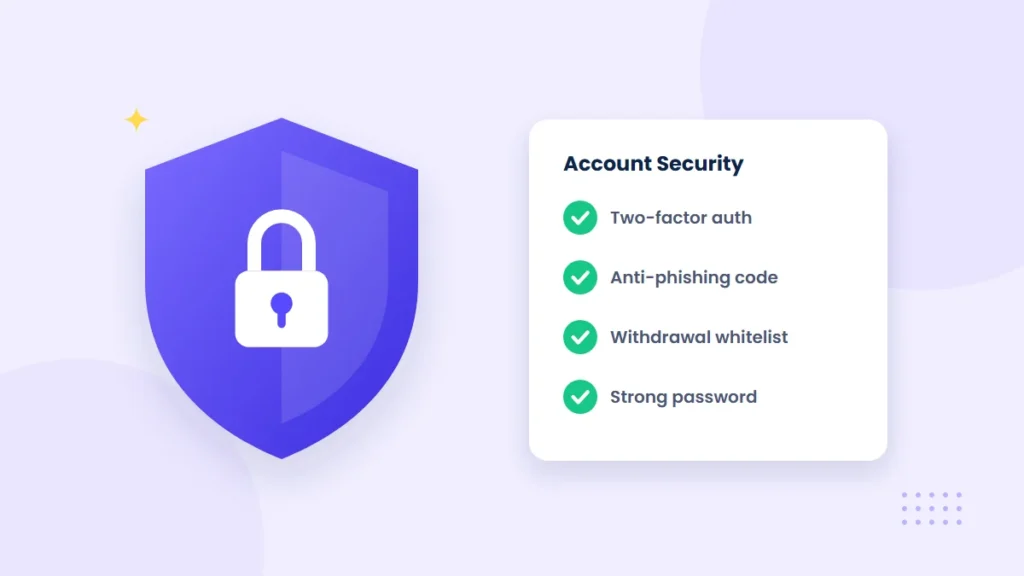
- Withdrawal address allowlist: restricts withdrawals to addresses you have pre-approved, often with a waiting period for new additions.
- Anti-phishing code: a personal phrase included in genuine emails, so you can quickly spot fakes that lack it.
- Login and withdrawal notifications: instant alerts for new logins, password changes and withdrawal requests.
- Device and session management: a list of active sessions you can review and revoke.
- API key restrictions: if you use trading bots, limit keys to the permissions they need, disable withdrawals and restrict by IP where possible.
How to Recognize and Avoid Phishing
Phishing remains one of the most common ways traders lose access to their accounts. Attackers create convincing copies of exchange websites, support emails and even social media profiles. Avoiding fake sites is also a key step when you buy Bitcoin safely.
Red Flags to Watch For
- Urgent messages claiming your account will be frozen unless you act immediately.
- Links that lead to slightly misspelled domains or unusual subdomains.
- “Support agents” who contact you first through direct messages.
- Anyone asking for your password, 2FA code, seed phrase or remote access to your computer.
- Giveaways promising to multiply any crypto you send.
Simple Habits That Stop Most Attacks
- Bookmark your exchange’s official website and always log in from that bookmark.
- Never click login links in emails or messages, even if they look legitimate.
- Check the domain carefully before entering any credentials.
- Remember that legitimate support staff will never ask for your password or 2FA codes.
If someone asks for your 2FA code, your password or your seed phrase, treat it as an attack. No legitimate service needs them.
Secure Your Devices and Your Storage
Devices and Network
Your account security also depends on the devices you use to access it. A compromised laptop or phone can undermine even the best 2FA setup.
- Keep your operating system, browser and apps updated with the latest security patches.
- Install browser extensions sparingly and only from trusted developers.
- Avoid logging in to your exchange on public or shared computers.
- Use a trusted network, and consider a reputable VPN on public Wi-Fi.
- Always double-check the full wallet address after pasting it, since clipboard malware can silently swap addresses.
- Set a screen lock and enable device encryption on your phone.
Custody and Long-Term Storage
Exchanges are convenient for active trading, but many experienced traders keep only what they need for trading on the platform. Long-term holdings are often moved to a personal wallet, such as a hardware wallet, where you control the private keys. Our hot wallet vs cold wallet comparison explains the trade-offs.
Self-custody comes with its own responsibility. If you lose your seed phrase, nobody can recover your funds for you. Store it offline, never type it into a website, and consider keeping copies in more than one secure location. You can learn more in our crypto security guides.
A quick reminder: crypto assets are volatile and this article is educational, not financial advice. Security protects your access to your funds, but it does not protect against market risk.
Frequently Asked Questions
Is SMS 2FA better than no 2FA at all?
Yes. SMS codes still block attackers who only have your password. However, because SMS is vulnerable to SIM swapping, switch to an authenticator app or hardware key whenever your exchange supports it.
What should I do if I think my account has been compromised?
Act quickly. Change your password from a clean device, revoke all active sessions and API keys, reset your 2FA and contact the exchange’s official support channel. Then secure your email account, since it is often the entry point.
Do I need a hardware wallet if I only trade small amounts?
Not necessarily. A hardware wallet makes the most sense once your holdings grow or you plan to hold for the long term. For smaller, active balances, strong exchange security settings may be enough for your needs.
Final Thoughts
Exchange security is not a single setting but a set of layers: a unique password, strong 2FA, withdrawal protections, phishing awareness and clean devices. Each layer makes an attacker’s job harder. Take 15 minutes today to review your settings, whether you trade on Bithoex.com or elsewhere, and you will be far better protected than most.